How to Get Blu-ray onto Macbook Pro/Air for full-screen playback


This is a simple guide of how to rip and play Blu-ray on Macbook Pro/Air with the best Mac Blu-ray ripper or Blu-ray Player.

Watching movies on Mac is an awesome experience especially on the latest MacBook Pro 2016 with brighter LED backlighting and an increased contrast ratio. Another similar device, Macbook Air, is even more convenient player, especially for female users. Can you play Blu-ray on MacBook Air/Pro? No, because Apple hates blu-ray, which it fails to war against. Fortunately, with a little inexpensive hardware and software, you can turn your MacBook into an amazing Blu-ray player to how off your home theatre. See the a tutorial below to learn how to play Blu-ray movies on MacBook Pro and MacBook Air with good video and audio quality in 2 easy ways.
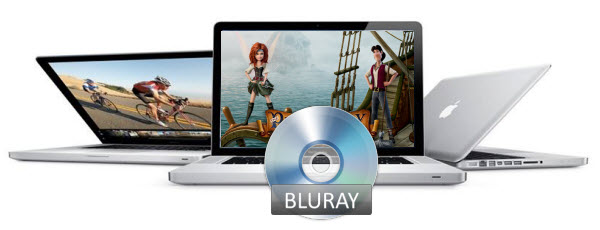

When you use a Blu-ray disc, you should keep a few things in mind to avoid any problem in playing them. First of all, you should have a properly connected and working Blu-ray disc reader–an external Blu-ray drive for your Mac computer, so that any data on the disk could be read easily. Moreover, the disc needs to be free from scratches in order to avoid any hanging or interruptions.

The most occurring problem is that the media player is not capable to play such high quality videos and formats with layers of Blu-ray protection. As the newly released commercial Blu-ray disc, some newest Blu-ray discs are protected with region codes and layers of digital rights management, including AACS, and BD+, etc. to avoid being faked, copied, or retroactively applied to an unprotected medium.

First way to get Macbook Pro/Air play Blu-ray

Since Mac operating systems do not have native Blu-ray playback support, even feels reluctant to import neither Blu-ray video into iTunes/iPhone/iPad, nor a Blu-ray drive into its system, out of its own interest. an external Blu-ray drive and a Mac Blu-ray player software should be used to play Blu-rays on MacBook Pro/Air with an external Blu-ray drive.

Here 8K Player for Mac or 8K Player (Blu-ray Power version) is a piece of professional Blu-ray player software officially authorized by BDA (Blu-ray Disc Association) to read Blu-ray information and support Blu-ray playback on MacBook Pro and MacBook Air. It can play not only Blu-ray discs, but also its ISO files and its folders, DVD, DVD ISO files and other video or audio formats.

The Blu ray Player Mac version plays all latest discs in different regions on Mac, as well as multiple video and audio formats even 4K 5K 8K Ultra HD without any loss. It is one of the best Blu-ray player programs for home and office use, and supports the video and audio technology that deliver high-quality picture and sound.

Free Download 8K Player for Mac or 8K Player (Blu-ray Power):


Preparations:

Mac OS X 10.6 - 10.12
1G Hz or above Intel processor.
512 MB physical RAM (memory) or more.
1024*768 or higher resolution display.
Internal or external Blu-ray drive
Internet Connection

How to play Blu-ray movies on MacBook Pro and MacBook Air?

1. Connect the BD drive to your Mac

Connect the external Blu-ray drive to your Macbook Pro/Air with the cable. Insert the Blu-ray disc to the BD drive. If you are playing Blu-ray folder or Blu-ray ISO files, you can skip this step.

2. Add Blu-ray

Install and run 8K Player for Mac (Blu-ray Power), then click "Open Bluray" to load the Blu-ray movie you want to play.


3. Start to play Blu-ray on MacBook Pro/Air

Wait a second till the main menu pops out and you can watch Blu-ray movie on MacBook Pro/Air. You can select audio track or subitle, and other settings by right-click or the main menus. And when playing Blu-ray, you can forward, backward or adjust the volume.

What's more, you can also take a snapshot, make gif, record screen and share them with your friends and families on the Facebook or Twitter while watching. Adding bookmark and repeat what you have viewed are allowed. There are more functions waiting for you to explore. See, how easy it is! Take your time enjoying the story.

Second way to make MacBook Pro/Air to play Blu-ray

Since MOV is the most ideal format for playing on Mac, you can convert Blu-ray to MOV for playback on Mac(Sierra, El Capitan, Yosemite, Mavericks included). In this case, a versatile Blu-ray ripper converter is in need. Dimo Video Converter Ultimate for Mac is such an excellent program that combines video converter, video editor, video player.

With it, you can convert Blu-ray to Mac playable MOV video on Mac with fast speed and high quality, so that you can enjoy Blu-ray on MacBook Pro/Air, Mac Pro, Macbook, QuickTime, iPhone, iPad, Apple TV or iPod, etc. Besides, this package tool enables you to convert BD/DVD disc, VIDEO_TS folder as well as HD video files like MKV, AVI, WMV, MPG, MTS, MXF, MP4, etc to any format you want. Plus, the built-in video editor allows you to trim, crop, add watermarks, etc. to get the very part and effect you prefer. Windows version is here.

Free Download or Purchase 8K Player for Mac:


Contact us or leave a message at Facebook if you have any issues.

Related Articles:

Comments

Popular posts from this blog

Camtasia Studio Not Importing MXF Video- Solution

Open DVD with Windows Media Player for playback on Windows

Avid & FLV Problems: Best Way to Solve Avid Won't Import FLV Files flv-to-avid-mc avid codec converter, transcode avi to avid dnxhd codec, import flv to avid mc, convert flv to dnxhd, edit flv in avid mc [size=4]Problem importing FLV files to Avid Media Composer for further editing? Fortunately, there is an easy way to fix the issue. Check them out here.[/size] [url=https://en.wikipedia.org/wiki/Media_Composer]Media Composer[/url], frequently referred to as "The Avid", is one of the favored non-linear editing system(NLE). In your daily life, especially for some filmmakers and video enthusiasts, you may find that the Avid can't play FLV. Because, FLV usually contain material encoded with codecs following the Sorenson Spark or VP6 video compression formats. It can hold many different type of audio, video codec such as H.264, H.263, MPEG-4 ASP, MPEG AAC, etc. FLV also contains information such as duration, width and height, framerate, encryption, metadata. But, Avid supported video codec is limited, how can you import FLV to Avid Media Composer without any issue? Luckily, now with the Avid Codec Converter-[url=https://www.mediadimo.com/video-converter-ultimate-for-mac][b]Dimo Video Converter Ultimate for Mac[/b][/url], all issues can be fixed without any hassles. [img]https://www.mediadimo.com/images/boke/flv-to-avid-mc.jpg[/img] The software supports to convert FLV files in a wide range of video formats, including HEVC/H.265, [url=https://www.mediadimo.com/top-avi-player-mac.html]AVI[/url], Xvid, DivX, [url=https://www.mediadimo.com/convert-h265-to-h264.html]H.264[/url], MP4, 3GP, MKV, WMV, RM, FLV, MOV, WTV, [url=https://www.mediadimo.com/get-video-to-magix-video-pro.html]MXF[/url], MVI, F4V, Apple ProRes MOV, WebM, VP8, 720p, 1080p, 1080i HD,AVCHD videos and more. That is to say, it can transcode all the files (absolutely FLV included) into another target format(Avid DNxHD MOV) with high quality. Besides Avid Media Composer, this program can help you convert then import FLV video to Final Cut Pro, [url=https://www.mediadimo.com/import-mp4-to-imovie.html]iMovie[/url], FCE, Premiere, Davinci Resolve, and other editing applications. If you are running on Windows, you can turn to equivalent version [url=https://www.mediadimo.com/video-converter-ultimate]Dimo Video Converter Ultimate[/url], which is an easy-to-use yet FLV converter, player and editor as well as Mac version [b]Free Download Dimo Video Converter Ultimate for Mac/Win:[/b] [url=https://mediadimo.com/download/mke/index.php?pcode=vcm0][img]https://www.mediadimo.com/wp-content/uploads/2016/11/mac-download.png[/img][/url] [url=https://www.mediadimo.com/download/Dimo-vct-trial-setup.exe][img]https://www.mediadimo.com/wp-content/uploads/2016/11/windows-download.png[/img][/url] [b]Other Download:[/b] [list] [*]Cnet Download: [url=http://download.cnet.com/Dimo-Video-Converter-Ultimate/3000-2194_4-77376153.html]http://download.cnet.com/Dimo-Vi ... 194_4-77376153.html[/url] [*]Soft32 Download: [url=http://dimo-video-converter-ultimate-for-mac.soft32.com/]http://dimo-video-converter-ultimate-for-mac.soft32.com/[/url][/list][size=4]How to convert FLV to Avid MC[/size] STEP 1: After downloading, install and launch the program, directly drag FLV clips you want to edit or by clicking the "Add File" to import the file to Dimo cinverter.. [img]https://www.mediadimo.com/images/video/dimo-mac.png[/img] STEP 2: Choose Avid Media Composer native format. Simply go to Format and select "Editor > DNxHD 720P or DNxHD 1080P" as the best video format for editing videos in Avid with good video quality. [img]https://www.mediadimo.com/images/video/avid-mc-format.png[/img] STEP 3: Now, you click the "Start" button to convert FLV to Avid MC. Then the smart Avid video conversion app will start transcoding videos to specified format immedaitely. After conversion, you will get it. [b]Note:[/b] Dimo Video Converter Ultimate is also able to convert FLV and more videos to [url=https://www.mediadimo.com/play-mp4-on-iphone.html]iPhone,[/url] iPad, iPod, Android [url=https://www.mediadimo.com/galaxy-s8-movie-download.html]Samsung Galaxy[/url] series, Amazon Kindle, [url=https://www.mediadimo.com/watch-dvd-on-htc-vive.html]HTC[/url], etc. [b]Free Download or Purchase Dimo Video Converter Ultimate for Mac/Win:[/b] [url=https://mediadimo.com/download/mke/index.php?pcode=vcm0][img]https://www.mediadimo.com/wp-content/uploads/2016/11/mac-trial.png[/img][/url] [url=https://www.swreg.org/cgi-bin/s.cgi?s=145698&p=145698-22&q=1&v=0&d=0&rc=45K2D47HSJ&a=v][img]https://www.mediadimo.com/wp-content/uploads/2016/11/buy-mac.png[/img][/url] [i]Need the lifetime version to work on 2-4 Macs so that your friends and family can instantly broaden their entertainment options? Please refer to the family license [url=https://www.swreg.org/cgi-bin/s.cgi?s=145698&p=145698-23&q=1&v=0&d=0&rc=45K2D47H2S&a=v]here[/url][/i]. [url=https://www.swreg.org/cgi-bin/s.cgi?s=145698&p=145698-23&q=1&v=0&d=0&rc=45K2D47H2S&a=v][img]https://www.mediadimo.com/images/family.jpg[/img][/url] [b]Kindly Note:[/b] The price of Dimo Video Converter Ultimate for Mac is divided into 1 Year Subscription, Lifetime/Family/Business License: $43.95/Year; $45.95/lifetime license; $95.95/family license(2-4 Macs); $189.95/business pack(5-8 Macs). Get your needed one at [url=https://www.mediadimo.com/video-converter-ultimate-for-mac/purchase]purchase page[/url]. [b]Related Software:[/b] [b]BDmate ([url=https://www.mediadimo.com/bdmate-for-mac]Mac[/url]/[url=https://www.mediadimo.com/bdmate]Win[/url])[/b] Lossless backup Blu-ray to MKV with all audio and subtitle tracks; Rip Blu-ray to multi-track MP4; Convert Blu-ray to almost all popular video/audio formats and devices; Copy Blu-ray to ISO/M2TS; Share digitized Blu-ray wirelessly. [b]DVDmate ([url=https://www.mediadimo.com/dvdmate-for-mac]Mac[/url]/[url=https://www.mediadimo.com/dvdmate]Win[/url])[/b] A professional DVD ripping and editing tool with strong ability to remove DVD protection, transcode DVD to any video and audio format, and edit DVD to create personal movie. [b]Videomate ([url=https://www.mediadimo.com/videomate-for-mac]Mac[/url]/[url=https://www.mediadimo.com/videomate]Win[/url])[/b] An all-around video converter software program that enables you to convert various video and audio files to formats that are supported by most multimedia devices. [b]8K Player ([url=https://www.mediadimo.com/8k-player-for-mac]Mac[/url]/[url=https://www.mediadimo.com/8k-player]Win[/url])[/b] A mixture of free HD/4K video player, music player, Blu-ray/DVD player, video recorder and gif maker. [i][email=support@mediadimo.com]Contact us[/email] or leave a message at [url=https://www.facebook.com/mediadimo/]Facebook[/url] if you have any issues.[/i] [b]Related Articles:[/b][list][*][url=http://ireviewsky.com/cristiano-ronaldo/]Best moments of Cristiano Ronaldo[/url] [*][url=https://mediaora.com/adam-west/]Download Adam West best movies[/url] [*][url=http://iskyshare.com/upload-dvd-to-youtube/]How to Upload and share DVD movies onto YouTube[/url] [*][url=https://www.mediadimo.com/superhero-movies-download.html]Best Marvel Superhero Movies to be downloaded[/url] [*][url=https://www.mediadimo.com/download-bahubali-2-movie.html]Bahubali 2 The Conclusion Full Movie Download Free[/url] [*][url=https://lovemediasoft.blogspot.com/2017/06/h265-to-iphone8.html]Flawlessly Play HEVC/H.265 Video on iPhone 8[/url] [*][url=https://homemediatip.blogspot.com/2017/06/h265-to-youtube.html]Convert H.265/HEVC to YouTube for uploading[/url] [*][url=https://videogetstarted.blogspot.com/2017/06/flv-to-chromcast.html]Convert FLV to Chromecast for TV streaming[/url] [*][url=https://hotmovieguide.jimdo.com/backup-the-lego-batman-blu-ray/]How to backup The Lego Batman Movie Blu-ray[/url] [*][url=https://lovemtime.blogspot.com/2017/06/convert-video-ts-to-avi.html]Lossless Convert DVD Video_TS to AVI on Mac and Windows[/url][/list] Source: [url=https://videogetstarted.blogspot.com/2017/06/flv-to-avid-mc.html]Workflow for editing FLV in Avid MC[/url]